Financial Systems FC1A Setup Tab
-
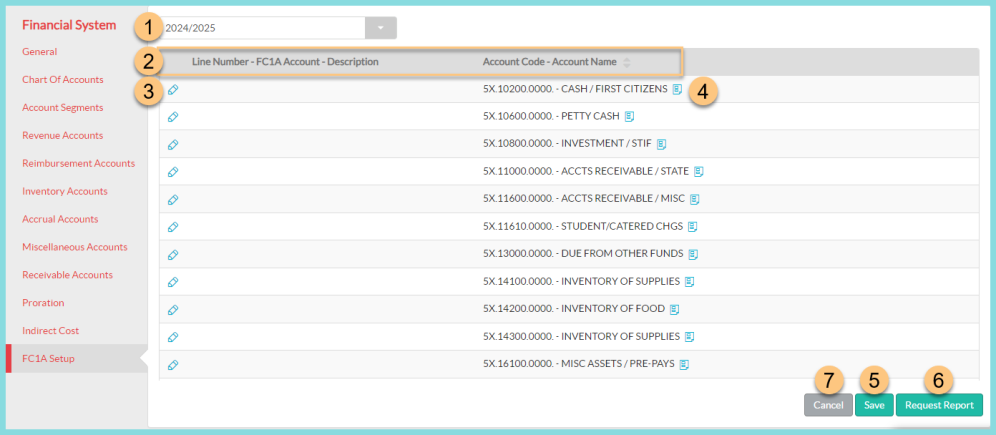
Select the Fiscal Year.
-
Notice the column headers including the Line Number - FC1A Account Description - and the Account Code - Account Name.
-
Click the Pencil. A drop-down menu will appear. Click the appropriate FC1A Line Number to assign it to the Account Code.
-
Hover over the File icon to view the full Account Code.
-
Click Save.
-
Click Request Report to open the Run FC1A Report modal.
-
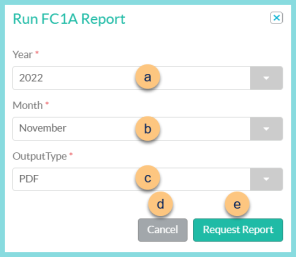
Select a Year.
-
Select a Month.
-
Select an Output Type. (PDF or CSV)
-
Click Cancel to close the modal without requesting the report.
-
Click Request Report to initiate the FC1A Report. The report will be available in the Notification Bell when it has finished running.
-