Delete a Payroll Date if the Payroll has been Opened
The payroll date deleted cannot be a payroll activated or with manual time cards posted to it.
-
Select Payroll Processing
-
Select Activate/Open a Payroll
-
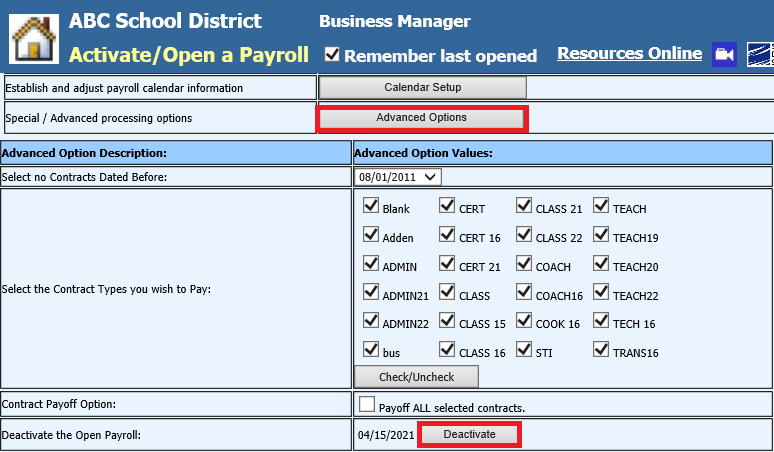
Select Advanced Options
-
Select Deactivate
-
Select Calendar Setup
-
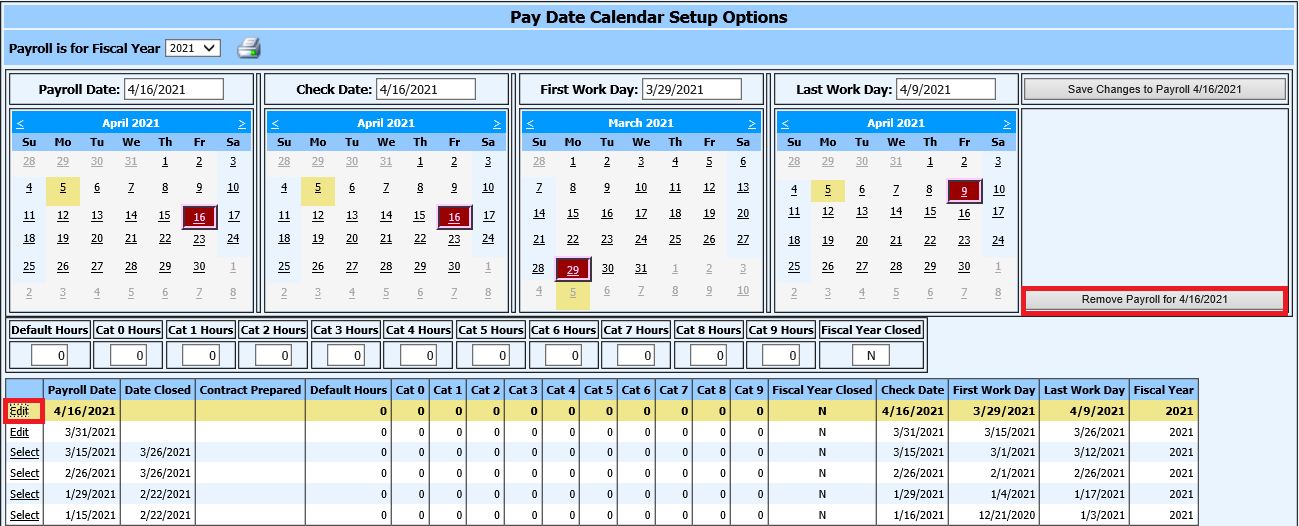
Select “Edit” on the Payroll Date you wish to delete
-
Select the option Remove Payroll